When we talk about good website design, it’s easy to focus on how things look. Colours, imagery, layouts and branding all play a big role in creating a strong first impression. But just as important, and often overlooked, is how a website works for the people using it. That’s where website accessibility comes in.
Website accessibility is about making sure your site can be used by everyone, including people with disabilities or additional needs. This might include users who rely on screen readers, those who navigate using a keyboard rather than a mouse, or people with visual, auditory, cognitive or motor impairments. An accessible website is clear, readable, intuitive and easy to interact with, no matter how someone accesses it.
Accessibility isn’t just a “nice to have”. It’s a core part of good web design, good user experience, and increasingly, good SEO.
Why website accessibility matters
First and foremost, accessibility is about inclusion. Your website should be usable by as many people as possible, not just those with perfect vision, dexterity or technical confidence. When content isn’t accessible, you’re unintentionally excluding users, and potentially turning away customers before they’ve even had a chance to engage with your business.
There’s also a strong business case for accessible websites. Improving accessibility often leads to better overall performance, including:
- Improved user experience – Clear navigation, readable content and logical layouts benefit everyone, not just users with disabilities.
- Better mobile usability – Many accessibility best practices overlap with mobile-friendly design, such as larger text, clear buttons and simple navigation.
- Stronger SEO performance – Search engines value well-structured content, descriptive image alt text, clear headings and fast-loading pages, all of which are key accessibility principles.
- Legal and compliance considerations – While not all businesses are legally required to meet full WCAG standards, accessibility legislation is becoming more common. Being proactive helps future-proof your site.
In short, an accessible website is easier to use, easier to find, and more likely to convert visitors into customers.
What makes a website accessible?
Accessibility doesn’t mean stripping your website of personality or creativity. It’s about thoughtful design and sensible decisions that make content easier to consume.
Some of the core principles include:
- Perceivable – Content should be easy to see or hear
- Operable – Users should be able to navigate and interact with your site
- Understandable – Information should be clear and predictable
- Robust – Your site should work across devices, browsers and assistive technologies
These principles form the foundation of the Web Content Accessibility Guidelines (WCAG), which are widely used as the standard for accessible web design.
Example 1: Clear structure and readable content – Meridian IT

This website does a great job of using clear headings, generous spacing, and legible font sizes throughout. Content is broken into logical sections, making it easy to scan, read and navigate for all users, including those using screen readers or keyboard navigation.
Why it works:
Clear hierarchy and well-structured content reduce cognitive load and help users find what they need quickly.
Small changes that make a big difference
One of the biggest misconceptions about accessibility is that it requires a complete website rebuild. In reality, many improvements can be made through small, manageable updates.
Here are some simple but effective changes that can dramatically improve accessibility:
- Improve colour contrast – Text should stand out clearly from its background. Poor contrast can make content difficult or impossible to read for users with visual impairments.
- Use clear, legible fonts – Avoid overly decorative fonts for body text. Ensure text is large enough and spaced well for comfortable reading.
- Add descriptive alt text to images – Alt text helps screen readers understand what an image represents and also supports image SEO.
- Structure content with headings – Using proper heading levels (H1, H2, H3) helps users and assistive technologies navigate your content more easily.
- Ensure keyboard navigation works – All key elements, such as menus, buttons and forms, should be accessible without a mouse.
- Avoid auto-play and flashing content – Sudden movement, flashing elements or unexpected sounds can be disorienting or triggering for some users.
These updates don’t just support users with additional needs. They often result in a cleaner, more professional website that’s easier for everyone to use.
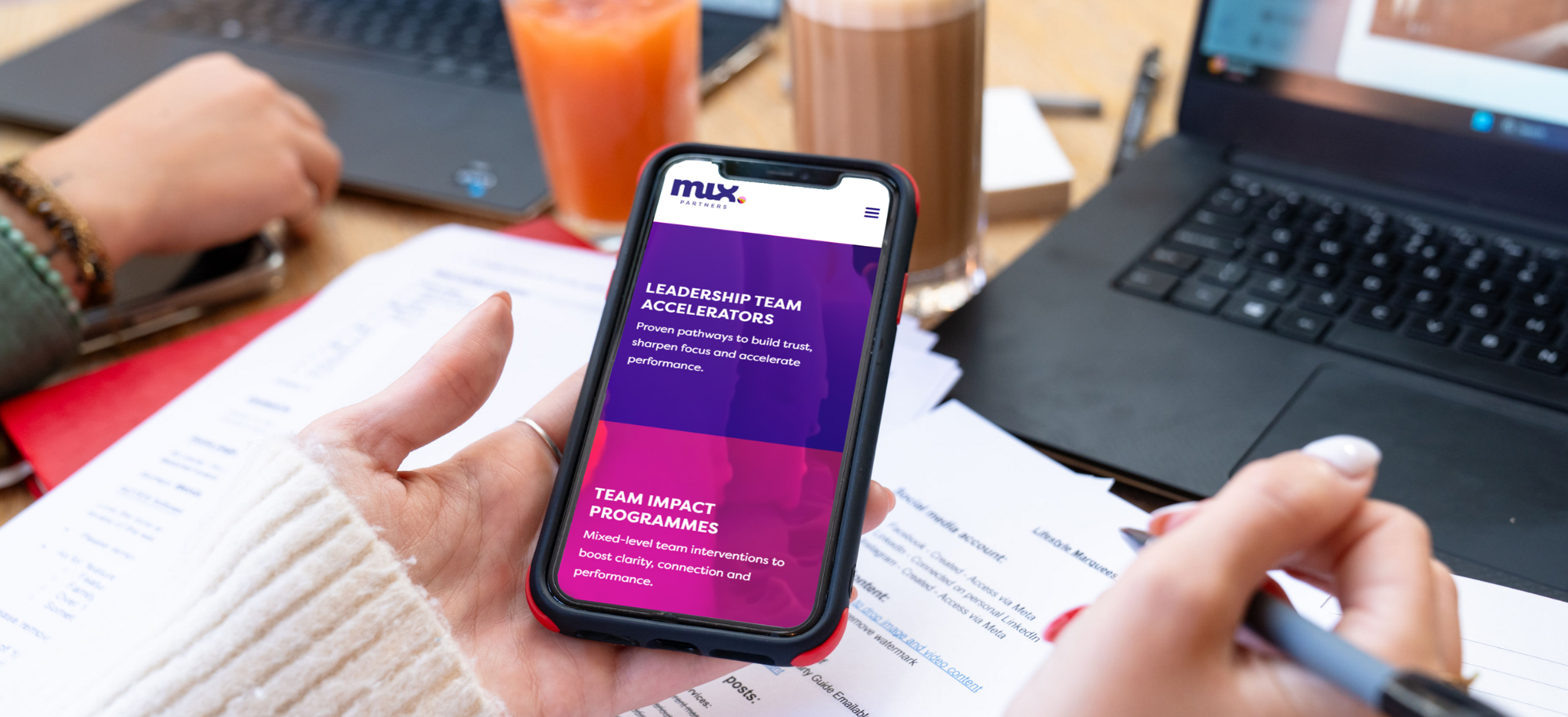
Example 2: Strong colour contrast and accessible branding – Mix Partners

This site shows that accessibility doesn’t mean boring design. The colour palette has been carefully chosen to meet contrast guidelines while still feeling on-brand and visually engaging. Buttons, links and calls to action stand out clearly against the background.
Why it works:
Good colour contrast improves readability for users with visual impairments and makes key actions easier for everyone to spot.
Accessibility and SEO: the hidden connection
Accessibility and SEO go hand in hand. Search engines aim to deliver the best possible results to users, and accessible websites naturally align with that goal.
For example:
- Clear page structure helps search engines understand your content
- Alt text gives context to images in search results
- Faster, more usable sites tend to perform better in rankings
- Accessible content is more likely to keep users engaged, reducing bounce rates
By improving accessibility, you’re often strengthening the technical foundations that support long-term SEO success.
Example: Simple navigation and mobile-friendly layout – Shield Family Law

This website keeps navigation straightforward, with clear menus and large, tap-friendly buttons on mobile. The layout adapts smoothly across screen sizes, ensuring a consistent experience whether users are browsing on desktop, tablet or phone.
Why it works:
Accessible navigation improves usability for keyboard users, mobile visitors, and anyone interacting with the site on the go.
How we can help
At Chell Web & Design, we build websites with usability and accessibility in mind from the start. But we also know that many businesses already have websites that simply need a bit of refinement.
If you’re unsure how accessible your site currently is, we can help with:
- Accessibility reviews and audits
- Practical, prioritised improvement recommendations
- Design and layout adjustments
- Ongoing website maintenance and optimisation
You don’t need to do everything at once. Even small improvements can have a meaningful impact.
If you’d like us to review your website and suggest ways to make it more accessible, user-friendly and effective, you’re welcome to book a free discovery call with our team. We’ll talk through your site, your audience, and the best next steps to improve both accessibility and performance.